Screen recordings to a timestamped transcript, the ffmpeg filter chain, and the three tuning flags.
--video is the same idea aimed at screen recordings. Agents normally read a
video by sampling frames and sending each one as an image, which costs thousands
of tokens per frame. Cheapshot instead asks ffmpeg for only the frames where the
screen actually changed, OCRs those locally, drops any screen nearly identical
to the one before it, and emits a timestamped transcript.
cheapshot --video screen.mp4Measured on a 13 minute, 2.9 GB screen recording at 2560x1440: 12 scene frames, 22,128 image tokens to 1,091 text tokens, 95% saved.
Measured again on 2026-11-02 on an M4 Pro Mac mini: a 51 minute, 273 MB webinar recording at 3776x2124 (a public Kimi K3 talk) took 35 seconds wall clock and kept 17 scene frames, 14 distinct screens, 31,348 image tokens to 1,133 text tokens, 96% saved.
Watch it run
Section titled “Watch it run”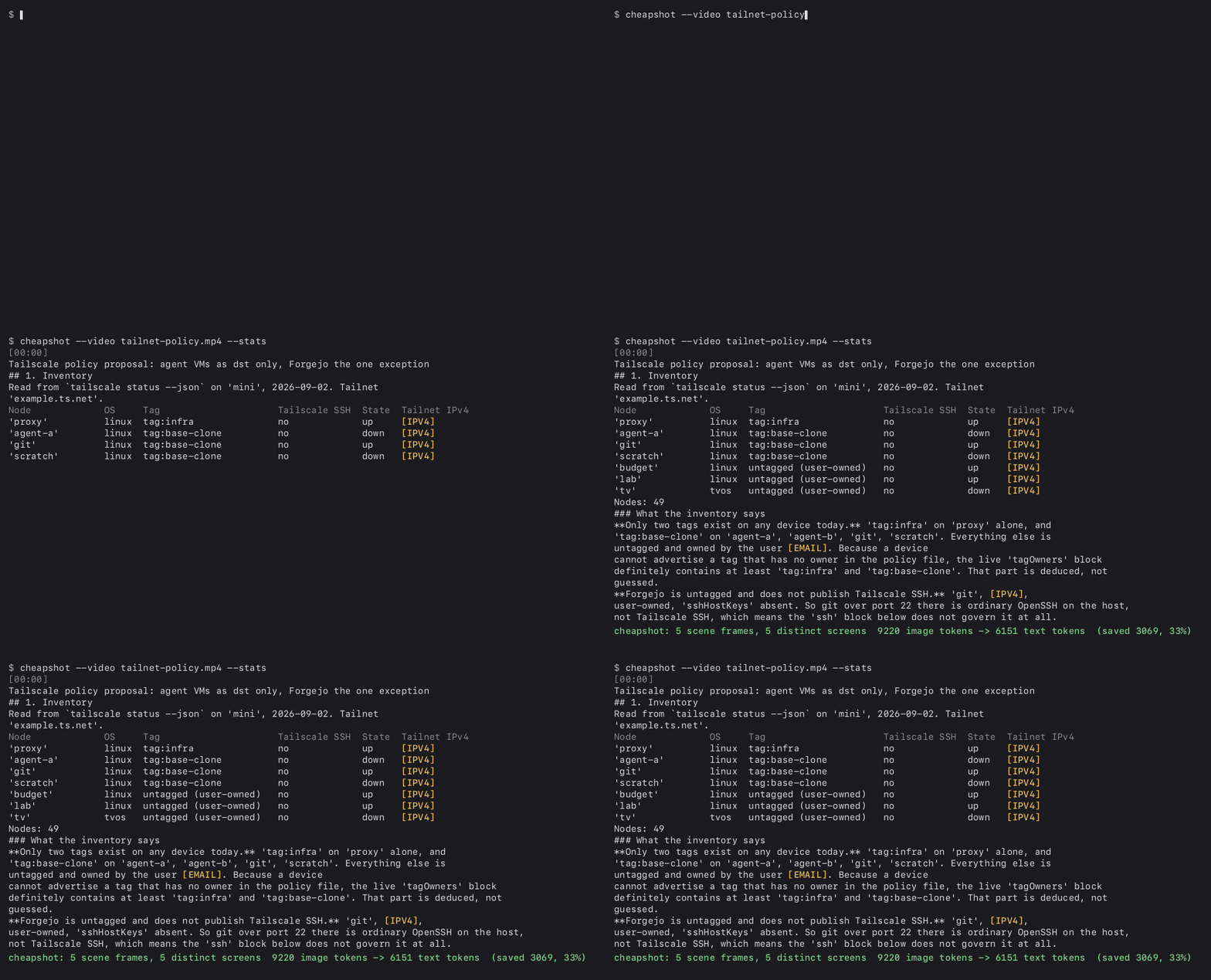
A 40 second CleanShot capture at 2560x1440 of an editor showing a tailnet policy note: a 49 node inventory with addresses, the owner’s email, and the tailnet name. Cheapshot kept 5 scene frames and printed this ledger line:
cheapshot: 5 scene frames, 5 distinct screens 9220 image tokens -> 6151 text tokens (saved 3069, 33%)With --json, redactions for the run reads {"EMAIL": 4, "IPV4": 11}.
Two honest notes. A screen full of dense text saves less than the 95% above, because the words are the payload; 33% is what a wall of prose gets. And the GIF is an excerpt rendered from the real output with the node names and the tailnet name swapped by hand, because cheapshot redacts emails and addresses, not hostnames. The recording itself is not published: its pixels show everything the transcript redacts.
The transcript
Section titled “The transcript”Plain output is one stamped block per distinct screen:
[00:00]cheapshot --video demo.mp4
[00:14]12 scene frames, 9 distinct screens
The stamp is mm:ss. With --json each segment carries time in seconds,
stamp, and text, alongside the frame count and the redaction counts for the
whole recording.
The ffmpeg filter chain
Section titled “The ffmpeg filter chain”-an -sn -vf "fps=4,mpdecimate=hi=64*12:lo=64*5:frac=0.1,select=eq(n\,0)+gt(scene\,T),metadata=print:file=-" -fps_mode vfr -q:v 2 f_%05d.jpgfps=4 cuts filter work by about 15 times on a 60 fps capture. mpdecimate
drops static stretches before the scene metric runs, so a screen that sat still
for two minutes costs nothing. select keeps frame 0 plus every frame whose
scene score is over the threshold, and metadata=print writes the timestamps to
standard output so they line up with the files.
-fps_mode vfr is load bearing. The image2 muxer writes at a constant frame
rate by default, so every input frame became a file even though select passed
only a few. Because --max-frames capped files rather than kept frames, a
recording longer than a few seconds was silently truncated and the timestamps
after the first few frames fell back to the file index. With -fps_mode vfr only
changed frames are written, so --max-frames counts kept frames, not input
frames.
Tuning
Section titled “Tuning”cheapshot --video screen.mp4 --scene 0.2 --max-frames 400 --dedupe 0.95--scene <f> is the change threshold that decides when a new frame is worth
reading. Default 0.25. Lower it to catch smaller changes, raise it to keep only
big ones.
--max-frames <n> caps how many frames a recording contributes. Default 200.
--dedupe <f> drops a screen that is at least this similar to the one before it,
measured on the recognized text rather than the pixels. Default 0.90.
Cut-free screens
Section titled “Cut-free screens”Scene detection fires on cuts. A screen the presenter scrolls through, or talks over for two minutes, produces no cut and gets walked past. Measured on a 15:37 benchmark review (yt-cc vKy0154ey90): scene mode kept 21 frames for 38,724 image tokens and missed 93 seconds of a scrolled summary page. The same file read at chapter midpoints kept 14 frames for 25,816 image tokens and caught it.
cheapshot --video talk.mp4 --frames-at 2:00,13:20,14:20 # read exactly these timescheapshot --video talk.mp4 --chapters meta.json # one frame per chapter, at its midpoint--frames-at takes SS, MM:SS or HH:MM:SS, comma separated.
--chapters reads the meta.json that yt-cc writes next to a transcript:
chapters: [{"t": seconds, "title": ...}] plus duration_string. It takes the
midpoint on purpose: a chapter’s first second is a title card, its middle is
the content.
Both flags need --video. A timestamp past the end of the file is skipped
rather than failing the run.
Requirements
Section titled “Requirements”Requires ffmpeg on your PATH. Cheapshot uses whichever one you have.
brew install ffmpeg